 Science Explorer
Citation Helper
The Citation Helper suggests papers that are closely related to a set of results through citations, but are not part of that set. It is useful for checking a bibliography or a library for papers you may have missed.
How to use it
- Run a search, or open a library and select View as search results.
- From the Explore menu at the top right of the results, select Citation Helper. Choose Selected first if you only want to use the results you have checked.
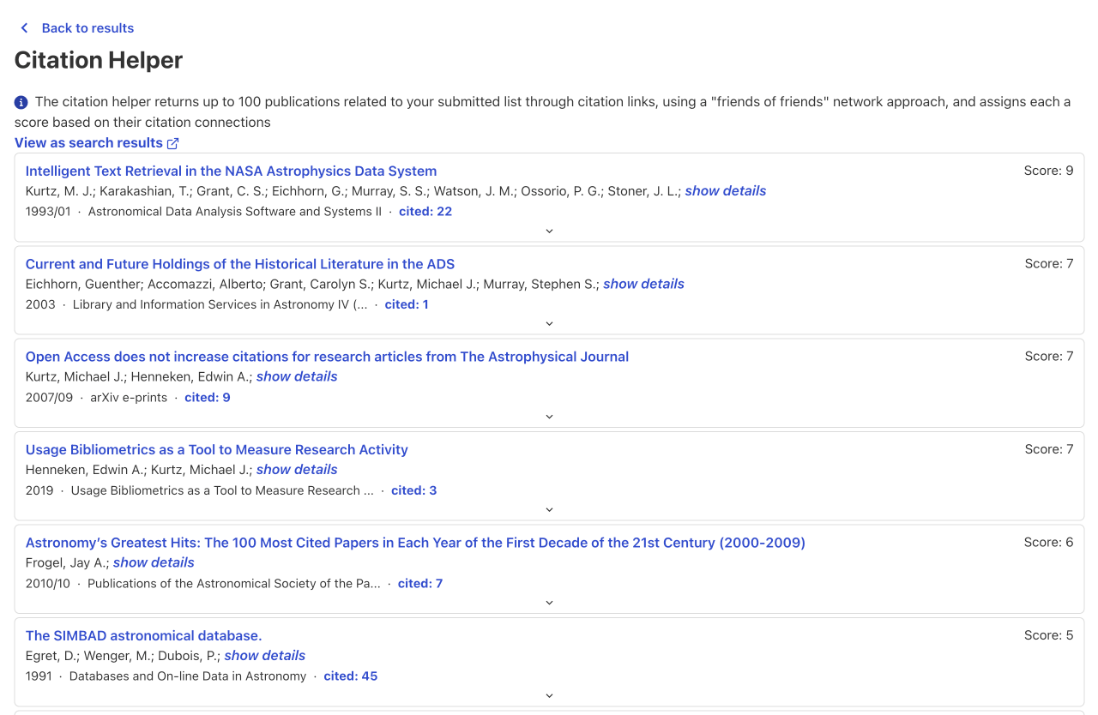
What it returns
Up to 100 papers that cite, or are cited by, papers in your results, but are not in your results themselves. It works like “friends of friends”: a paper connected to many of your results through citations gets a higher score, and the list is sorted by score.
- View as search results opens the suggestions as an ordinary results list, where you can sort, filter and export them.
- If you are logged in, you can select suggestions and click Add to library to add them to one of your libraries.