 Science Explorer
Discipline Selection
The discipline selection dropdown menu is available in the upper left of every SciX header.
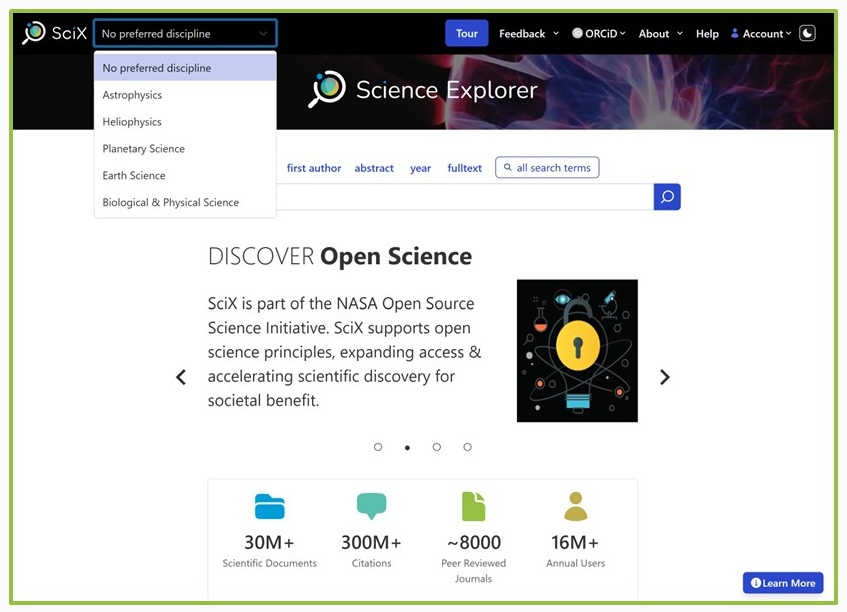
If you arrive at SciX the first time from anywhere other than ADS, the Discipline will be set to “No preferred discipline.” If you are forwarded from ADS, your Discipline will be set to “Astrophysics.” To change your Discipline, use the dropdown menu to select another option. Once selected, the Discipline should remain until you change it again. You may make a change from any SciX page at any point in your session.
Selecting your Discipline affects six aspects of your SciX experience.
Customize Main Search Page
The main search page looks different and has slightly different tools depending on your Discipline.
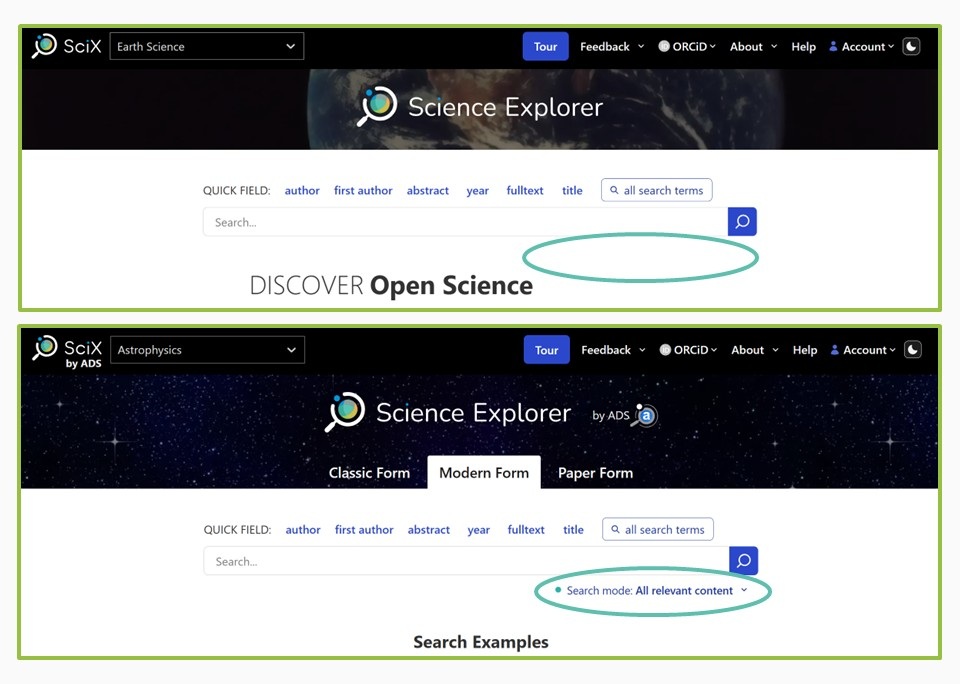
For instance, the three Forms and Search Mode selector are only available when your Discipline is set to Astrophysics. Alternatively, Last Author is available as a QUICK FIELD for those with Discipline set to Biological & Physical Sciences; all others can access that template through the all search terms dropdown menu.
Tailor the Interpretation of Queries
When you enter a query, fielded or unfielded, into the search bar some terms may be expanded. For instance, unless you request an exact match (=) some synonyms may be used to expand the terms used. For example,
crater = craters, cratering, cratered, craterlets, craterlike, crateris, craterform, subcrater, craterization, krater, cratori, noncrater …
In addition, acronyms and their spelled-out forms can be considered equivalents. For example,
ADS = Astrophysics Data System
In development are Discipline-specific lists of synonyms and acronyms so that you can search using the language that is most comfortable to you.
Customize Results Page
Because SciX provides a large number of filters, the filters least likely to be used by someone working in the selected Discipline are hidden when the Results page first loads.
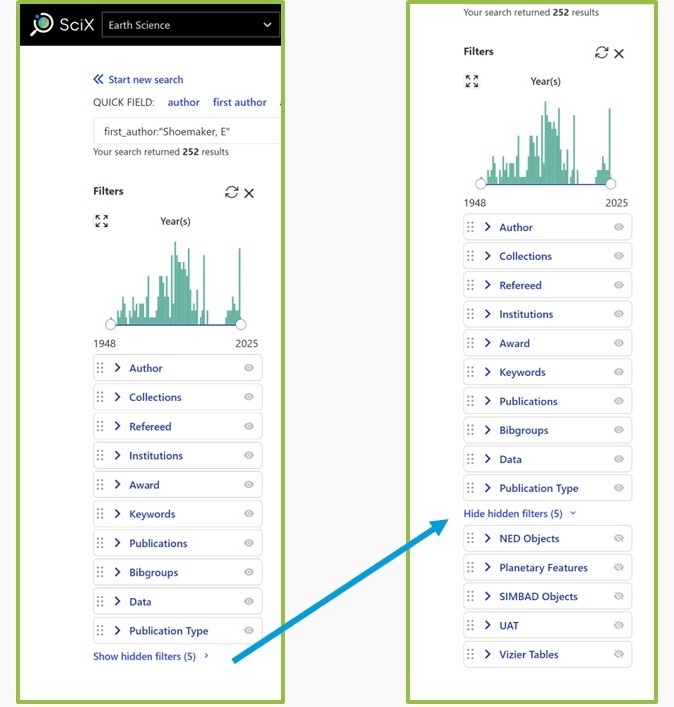
The number of hidden filters is stated at the bottom of the list of immediately available filters. Clicking Show hidden filters will reveal all previously hidden filters. For example, when the Earth Science Discipline is selected, the NED Object filter is hidden. Earth scientists do not find limiting their results based on the presence or absence of specific extragalactic objects helpful.
Set Defaults
Some options, such as Copy Citation format or Export Results format, default to a Discipline-specific choice when you have not made a personal selection.
Note: Discipline-specific defaults for Copy Citation are coming in the next SciX release.
Boost Related Collections in Results
When your results are sorted by Relevance, the sorting algorithm applies a disciplinary boost so that items from collections most applicable to the selected Discipline are returned more highly ranked than those in less applicable collections. For example, if “Astrophysics” is selected, results from the astrophysics subcollection are weighted most, while articles from physics, general, planetary science, heliophysics, and earth science, in that order, are weighted with gradually decreasing boosts. (Astrophysics, planetary science, and heliophysics are developmental subcollections of the astronomy collection.)
Unless other restrictions are applied, your query will search the entire corpus and results from all collections will be returned.
Once you have reviewed your results, you can change the selected Discipline in the upper left of the SciX header without leaving the Result view. SciX will reorder your results by Relevance, taking into consideration the new Discipline selection.
Customize Available SciX Account Settings
SciX has several features that apply only when certain Disciplines are selected, a few of these have associated settings that you can further tailor in your SciX account. To modify a Discipline-specific setting in your SciX account, the appropriate Discipline must be selected. Once you have made a choice, your choice will remain set even if you select another Discipline; it will be re-activated when you reinstate the appropriate Discipline.
No preferred discipline
For a neutral, non-discipline-specific search experience, select “No preferred discipline,” which will be the default if you arrive at the SciX main search page for the first time from anywhere other than a former ADS webpage. The layout of the main search page, results page, and available SciX account settings will reflect the simplest configuration of the other disciplinary pages. Discipline-specific interpretations and defaults use those most common across the major disciplines. All Collections will be weighted equally when results are sorted by Relevance.